01
Overview
Product of Atria
Project Overwatch (POW) is Atria's live moderation platform for ER:LC Roblox servers — a real-time mod panel, a Discord bot, and a desktop OCR overlay (Vision), all reading and writing one shared dataset. The app lives at pow.atriasafety.org, documentation at powdocs.atriasafety.org.
POW is a product, not a company — it's owned and operated by Atria, a 501(c)(3) non-profit, fiscally sponsored by The Hack Foundation. Every rule in this document sits underneath Atria's own identity system: POW gets its own mark and its own product color, but the typefaces, the base neutrals, and the permission rules in §Using these assets all come from the parent brand.
Mod panel
The real-time web dashboard — live logs over SSE, staff shifts, punishments, permission tiers down to per-server admins.
Discord bot
Syncs logs, runs slash commands, manages Discord roles against POW's member records.
Vision
A desktop overlay app that OCR-identifies players in-game, feeding the same shared database.
02
The mark
POW's mark is a single geometric emblem — an angular, shield-shaped monogram built from interlocking chevron strokes — with no attached wordmark. It's designed to work alone at small sizes: app icons, menu bars, avatars, favicons. There is no separate "logotype" version; when a name needs to sit next to it, set "Project Overwatch" or "POW" in Display type at a matching optical weight, the same way Wren pairs its bird mark with a name in text.
Never recolor the mark outside of pure black or pure white — see §Color for where POW Indigo belongs instead.
03
Logo usage
The same rules that govern Atria's mark govern POW's: give it room, keep it proportional, keep it legible.
Do
Scale proportionally, give it clear space on every side at least equal to the mark's own height, and place it on a calm, high-contrast background.
Don't
Stretch, skew, or otherwise distort the mark to fit a space. Resize the space instead.
Don't
Drop it onto a busy photo, pattern, or gradient that fights the mark for contrast.
Don't
Shrink it below ~16px — the interlocking strokes close up and it stops reading. Use the menu bar variant (§App icon & menu bar) for genuinely tiny contexts.
Don't
Recolor it to POW Indigo, a gradient, or anything besides the black/white pairs on this page. The mark itself stays two-tone even where the product's UI runs in color.
Clear space
There's no separate annotated clear-space diagram for POW the way there is for the Atria circle mark — treat this directionally: keep clear space on every side at least equal to the mark's own height, same principle as the main brand, just not pinned to an exact pixel grid yet. When in doubt, give it more room, not less.
04
Color
POW carries one product accent of its own — POW Indigo — layered on top of Atria's shared black/white neutrals. It's scoped to POW's own surfaces only: never swapped in for Atria Blue on the main atriasafety.org site, and never used to recolor the mark itself (§Logo usage).
POW Indigo
~#615FFF
Product accent — the live app's UI. An informal, observed color rather than a locked hex; treat it as directional until it's formally specced.
Atria Black
#1C1C1C
Marketing-surface backgrounds and all body text. Shared with the main brand.
White
#FFFFFF
The mark's light-mode ground and the product's UI background.
Atria Blue
#0BB0D1
Not POW's color — shown for reference. Used for POW's "make the change" tagline on marketing surfaces only (§Marketing vs. product).
POW Indigo lives inside the product. Atria Blue lives on marketing surfaces, even for POW campaigns. The two never swap places — see §Marketing vs. product for exactly where each one belongs.
05
Typography
POW doesn't have its own typeface — it inherits Atria's pairing directly. IBM Plex Sans JP, always bold, for headlines and taglines ("make the change" is set in it). Lexend for everything read at length: body copy, UI labels, docs.
Display — IBM Plex Sans JP, Bold
make the change.
font-family: "IBM Plex Sans JP"; font-weight: 700; letter-spacing: -0.025em;
Body — Lexend, Regular
A real-time mod panel that doesn't sell your data.
font-family: "Lexend"; font-weight: 400; line-height: 1.5;
06
Marketing vs. product surfaces
POW shows up two different ways depending on where you're looking, and the two must not cross. On marketing surfaces — atriasafety.org, social, decks, printed material — it's black background, white mark, huge Display type, Atria Blue for the one line that needs to pop. Inside the live product, the app runs on a white ground with POW Indigo as its accent, and the marketing-style black hero never appears.
Marketing: black background, white mark, Display type, Atria Blue accent line. Product: white ground, POW Indigo accent, no black hero treatment. Don't mix them.
The "make the change" campaign
POW's recurring marketing pattern: "make the change" set huge in Atria Blue, a one-line pitch underneath in muted gray, the site URL, and the white mark small in the corner — all on full Atria Black. The line under the headline swaps per audience; these four are in current circulation.
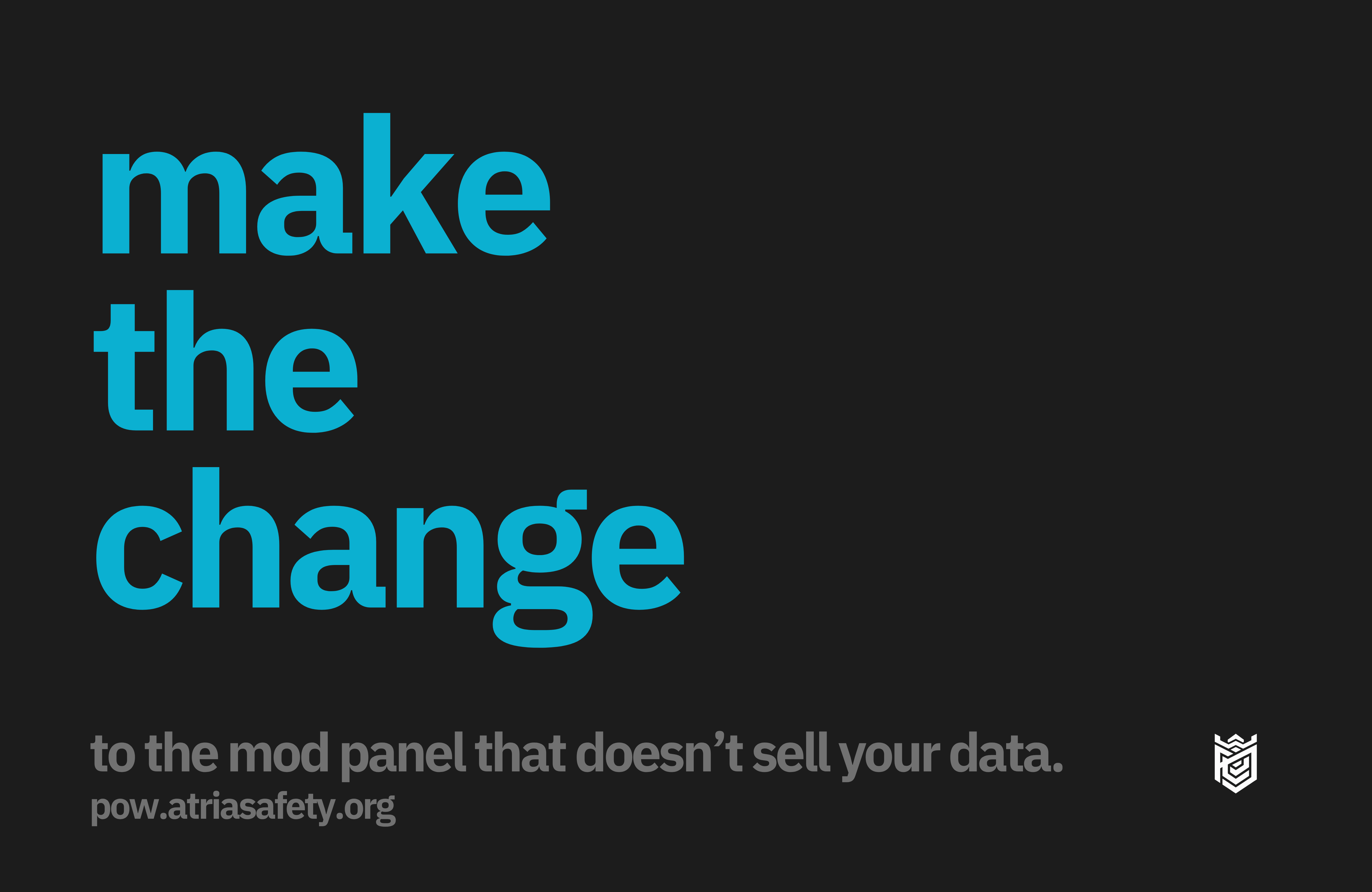
"…to the mod panel that doesn't sell your data."
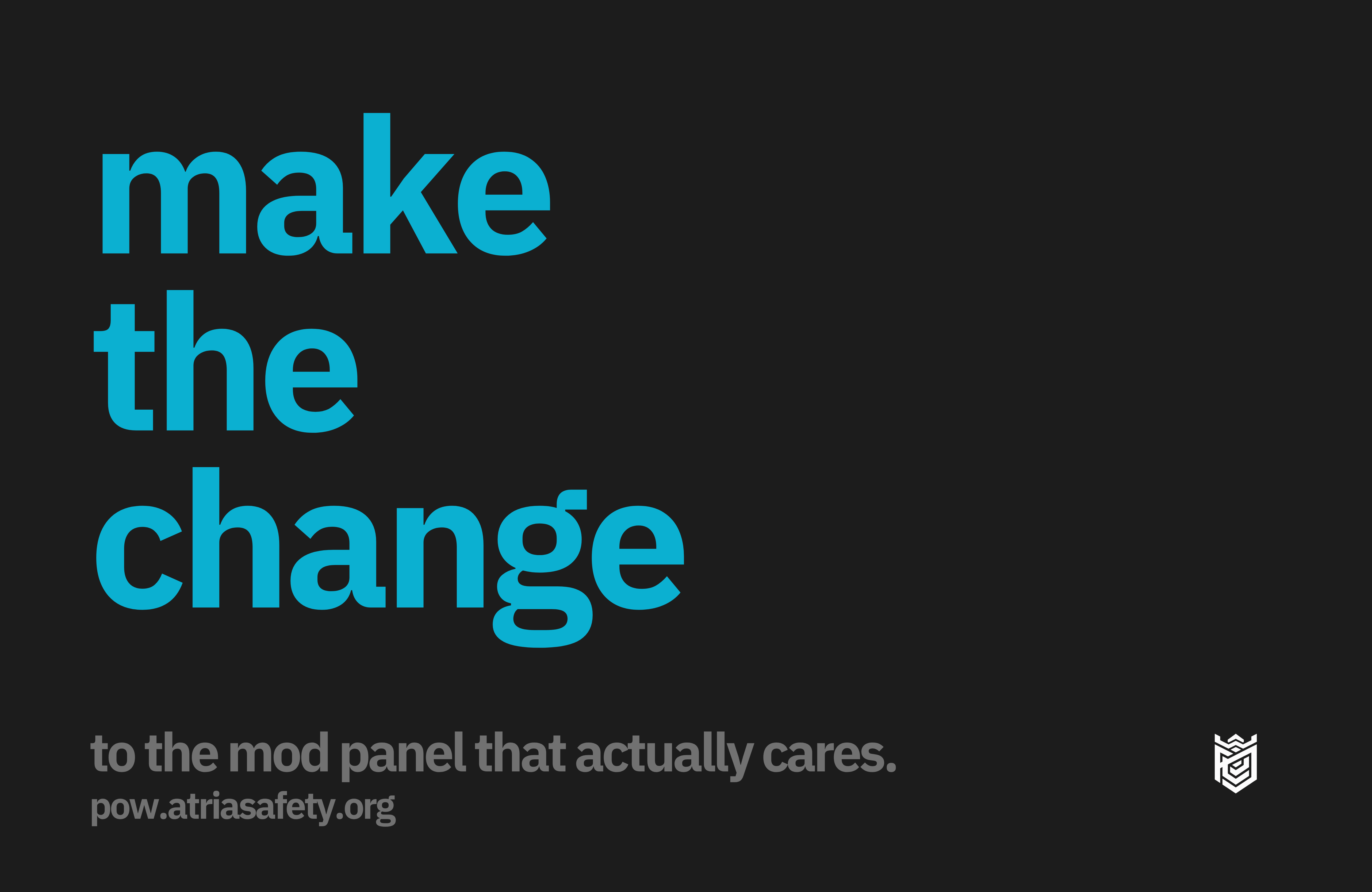
"…to the mod panel that actually cares."
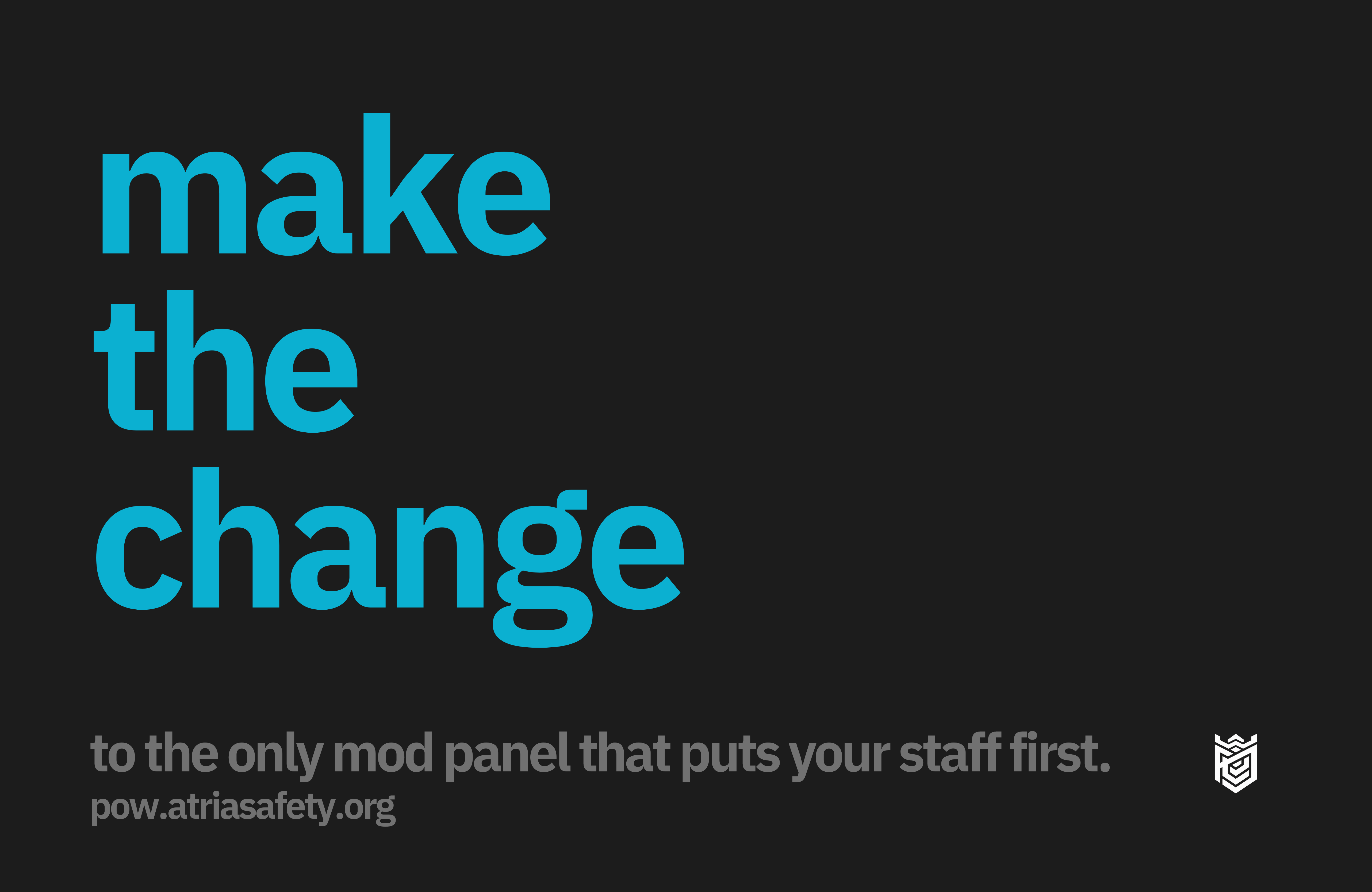
"…to the only mod panel that puts your staff first."
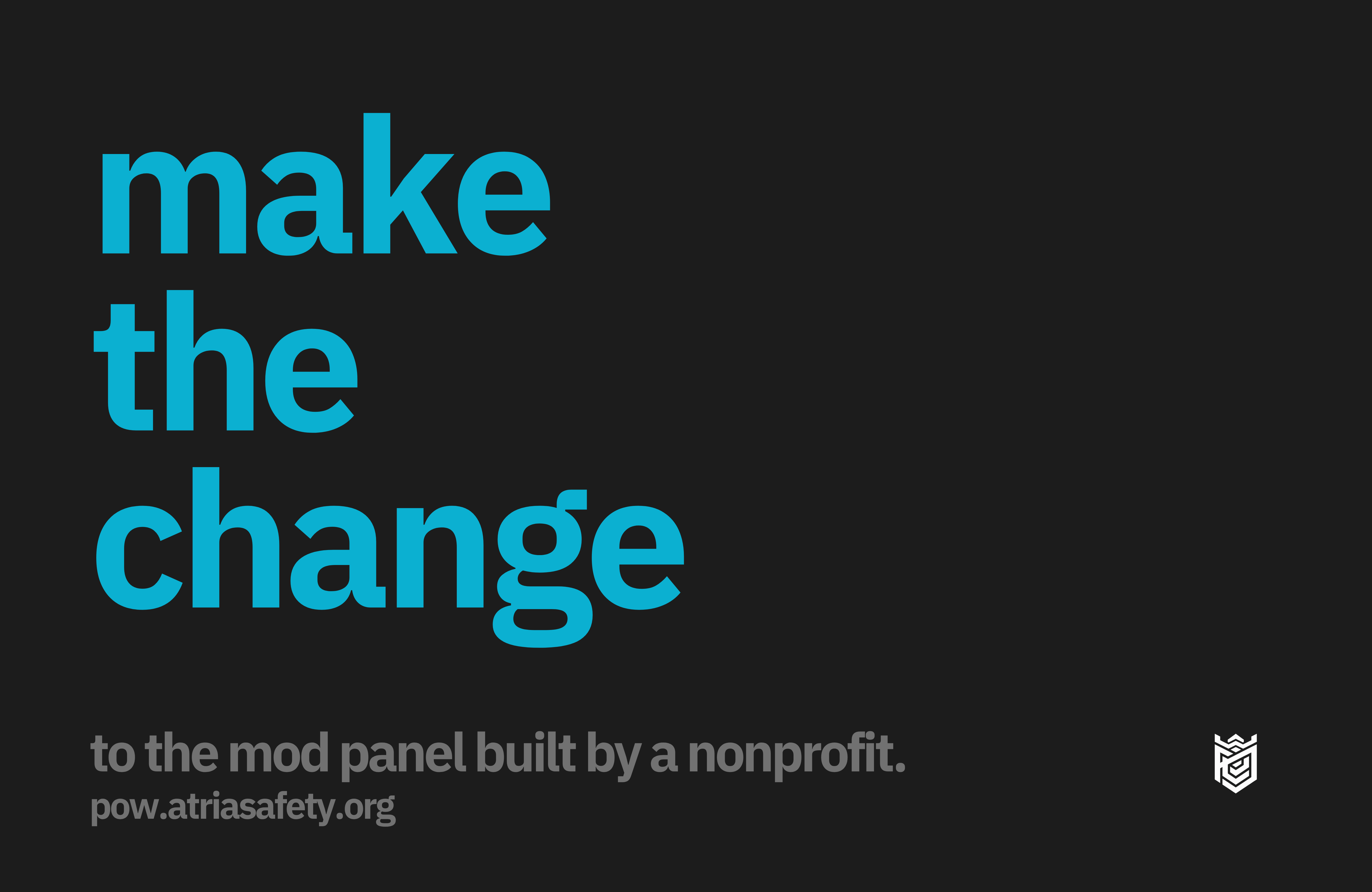
"…to the mod panel built by a nonprofit."
- Background: full
Atria Black, no exceptions.
- Headline "make the change" in
Atria Blue, Display Bold, set across up to three stacked lines.
- Supporting line and URL in a muted gray, Lexend, well below the headline in size and weight.
- The white transparent mark sits small, bottom-right, never larger than the supporting text block.
07
App icon & menu bar icon
Two small-format variants exist alongside the main mark, for contexts the standard exports aren't built for: a centered square app icon, and a flat monochrome silhouette for the Vision desktop overlay's macOS menu bar item.
- App icon: the mark centered in equal padding on a square canvas — use this instead of cropping the standard mark yourself for dock, taskbar, or store-listing icons.
- Menu bar icon: a flat, single-color white silhouette with no background chip, sized for macOS's translucent menu bar. Keep it monochrome — don't add gradients, shadows, or a filled backing shape behind it.
- Both come from the same source mark as the rest of this page — no separate proportions or geometry.
08
Full asset library
Every POW mark on this page, in one place — PNG (transparent, 4000px) and SVG (vector) for each color pairing, plus the app and menu bar icons from §App icon & menu bar.
09
Using these assets
Every mark on this page belongs to Atria, same as the main brand. Downloading a file here is not the same as being cleared to use it — putting the POW mark on a product, publication, merchandise, or anything else public requires Atria's written permission first.
If you want to use one of these marks, need a different format, or aren't sure whether something here still applies, ask in the Discord rather than assuming. For everything outside POW — Atria itself, Wren, Vision 2100 — see the full brand guide.


